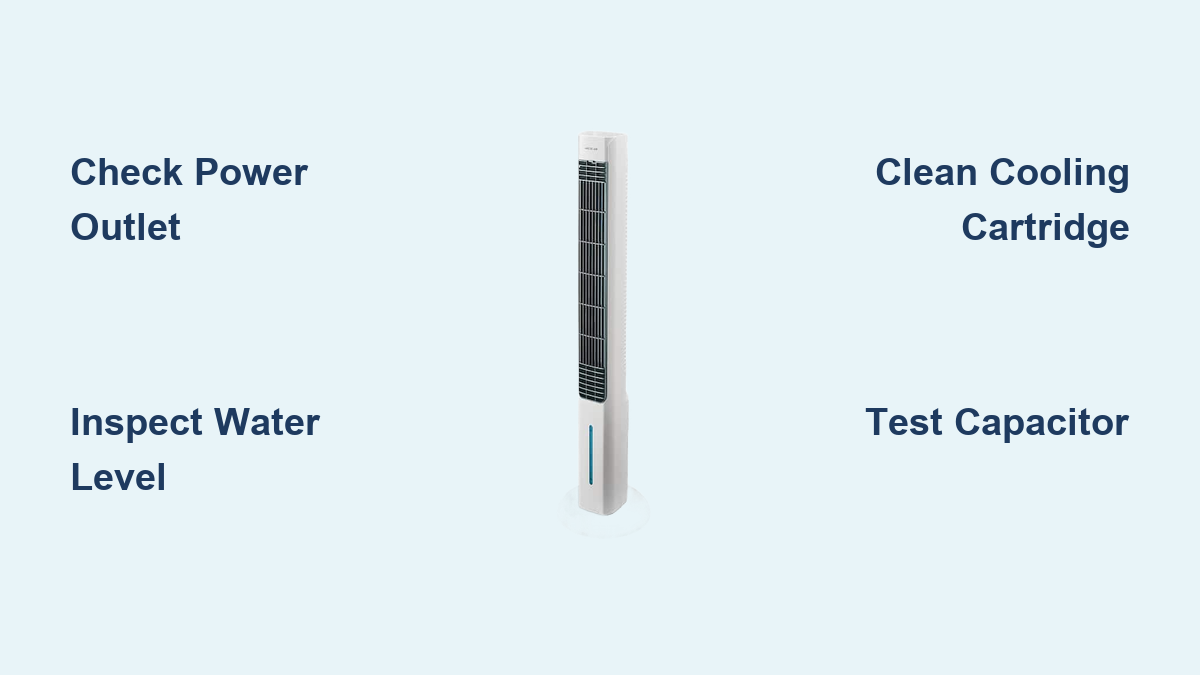
Fix Arctic Air Tower Fan Not Working
Your Arctic Air Tower fan promises cool, refreshing air, but when it stops working, the relief turns to frustration fast. Whether the unit won’t power on, the fan is silent, cooling has failed, or strange noises are coming from the base, diagnosing the problem quickly can save time, money, and summer comfort. This guide cuts through the confusion with a clear, step-by-step approach to fixing your Arctic Air tower fan not working issue. You’ll learn how to identify power failures, troubleshoot cooling problems, eliminate leaks, and prevent future breakdowns.
No guesswork. No jargon. Just actionable steps that get your unit back online or help you decide when it’s time to call support or replace a failed component.
Power Loss: Unit Won’t Turn On
When your Arctic Air tower fan doesn’t respond at all, start with the basics before diving into internal components.
Check Outlet and Power Source
Plug a working device like a lamp into the same outlet to confirm power delivery. If no other device works, check your home’s circuit breaker. A tripped GFCI outlet may also cut power without obvious signs. Reset if needed.
Ensure the fan’s power cord is fully inserted into both the wall and the unit’s rear port. Frayed wires or bent prongs indicate a damaged cord. Replace immediately.
Verify Switch and Settings
Make sure the physical power switch on the unit is set to On. Some models have a rotary dial or digital control panel. Confirm it’s not stuck or unresponsive. Try pressing buttons firmly. Intermittent response points to a failing switch.
If the fan has a remote, remove its batteries and use the unit’s manual controls instead. Remotes can fail and give the false impression the fan is dead.
Rule Out Internal Electrical Failure
If the outlet and switch are functional but the fan remains dead, the fault lies inside. Common culprits include burnt fan motor, failed control board, blown internal fuse, and water-damaged electronics.
Warning: If you smelled burning or noticed smoke, do not plug the unit back in until it’s fully inspected. Water intrusion can cause short circuits that pose fire risks.
Fan Motor and Capacitor Issues
The fan motor drives airflow. When it fails, even a full water tank and clean filter won’t help. Diagnose systematically.
Test Motor Spin and Resistance
Unplug the unit. Gently spin the fan blades by hand. They should rotate smoothly with minimal resistance.
Binding or grinding indicates worn bearings or debris in the blade assembly. Loose wobble means shaft damage, and the motor likely needs replacement. If it spins freely but won’t run when powered, the fault is electrical in the windings or power supply.
Even if the motor spins manually, internal shorts can prevent operation when powered.
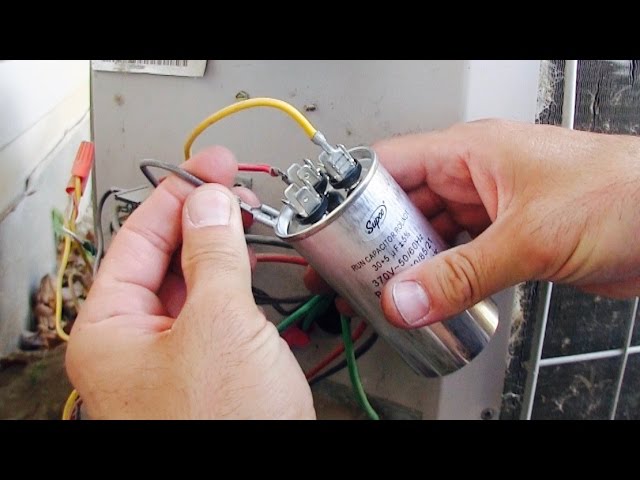
Inspect the Run Capacitor
The capacitor gives the motor the initial boost to start. A failed one causes humming without spinning.
Signs of failure include:
• Bulging or leaking casing
• Burn marks on the component
• Swollen top that looks domed instead of flat
Use a multimeter to test capacitance. If it doesn’t hold a charge, replace it. This is a common, low-cost fix for fan won’t start issues.
Cooling Not Working: Fan Runs, No Chill

If air blows but isn’t cool, the evaporative system has failed, even if the fan works fine.
Confirm Water Level and Tank Seal
The unit shuts off cooling if water drops below the sensor line. Refill to the max mark. Evaporation and pump draw can deplete levels fast.
Check that the tank is fully seated and locked into place. A misaligned tank breaks the seal, triggering false low-water signals.
Clean or Replace the Cooling Cartridge
The cooling mat absorbs water and cools air via evaporation. Over time, mineral buildup blocks water flow.
Inspect for:
• White crust (calcium deposits)
• Dry, stiff areas
• Mold or discoloration
Soak the cartridge in a 50/50 vinegar-water solution for 30 minutes, then rinse and air dry overnight. Replace annually or if heavily clogged.
Pro Tip: Never run the unit without the cartridge. It can trigger error codes and damage the pump.
Cooling Light Turns On Then Off
A common symptom is the cooling mode light flashing briefly, then shutting off while the fan continues running.
Diagnose Automatic Safety Shutoff
This behavior signals a system fault detected during startup. The most frequent causes are low water level, clogged drippers or nozzles, pump blockage, and overheating.
Even with a full tank, clogs can prevent water from reaching the mat, tricking the system into thinking it’s dry.
Clear Nozzles and Pump Line
Remove the back panel to access the pump located at the base. Disconnect the white hose from the tank nipple and the blue distribution hose above.
Soak both the pump and nozzle in vinegar solution for 30 minutes. Use a soft brush or pipe cleaner to dislodge debris. Rinse thoroughly and reassemble.
Ensure the blue hose is properly positioned to drip, not spray, onto the cartridge.
Water Leaks: Finding the Source
Leaks aren’t just messy. They can lead to electrical damage. Identify the origin before it worsens.
Check Tank and Drain Valve
Inspect the water tank for cracks. Fill only to the max line. Overfilling causes overflow. After draining, make sure the drain valve is fully closed and tightened.
Reinsert the tank firmly until it clicks. A loose fit prevents a proper seal.
Stop Internal Water Spray
If water is pooling near the motor or base, clogged drippers are likely the culprit. Instead of trickling down the mat, water sprays into the housing.
Clean the nozzle and ensure even water distribution. Water near electrical parts is not normal and can cause permanent damage.
Warning: If you find moisture on the motor or control board, unplug and dry completely before use. Consider professional inspection.
Strange Noises: Grinding, Buzzing, Rattling
Unusual sounds mean something is wrong mechanically.
Identify Noise Type and Source
Grinding or whining indicates failing motor bearings. Replace the motor. Buzzing with no spin means a bad capacitor or seized motor. Rattling or vibration comes from debris in blades or unbalanced rotation.
Turn off the unit and inspect the fan blades. Remove dust bunnies, hair, or small objects caught in the assembly.
Spin the blades manually. If noise persists, clean or replace affected parts.
Error Codes: What E1, E2, E3 Mean

Digital models display error codes to speed up diagnosis. Always consult your manual, but common codes include E1, E2, and E3.
E1: Low Water Level
Even with visible water, the sensor may not detect it due to mineral buildup on the sensor, air bubbles in the tank, or a clogged pump line.
Fix: Drain and refill with clean water. Clean around the sensor area with vinegar.
E2: Filter or Cartridge Problem
The system detects a missing, clogged, or improperly seated cooling mat.
Fix: Reinstall the cartridge. Clean or replace if calcified. Ensure it’s fully inserted.
E3: Sensor Malfunction
The temperature or humidity sensor is likely faulty. Try power cycling the unit.
If the code returns, the sensor or control board may need replacement. Contact support.
Prevent Future Failures
Most breakdowns are preventable with regular care.
Clean Every 1-2 Weeks
During heavy use, wash the water tank with vinegar solution. Soak and rinse the cooling cartridge. Wipe fan blades and housing.
This prevents mineral buildup and mold.
Use Distilled Water
Tap water contains calcium and magnesium that clog nozzles and coat sensors. Distilled water extends pump and cartridge life.
Store Properly Off-Season
At summer’s end, drain all water. Remove and dry the cartridge. Leave the unit open to air out. Store in a dry place.
A damp filter left inside can corrode sensors and trigger errors next season.
When to Repair or Replace

Not every failure is fixable at home. Know when to seek help.
Repair Worthwhile If
• Pump or capacitor is faulty (low-cost parts)
• Switch or sensor needs replacing
• Unit is under warranty
Contact Arctic Air support with your model number, serial and batch numbers, and proof of purchase. Warranty may cover 2 years of parts and labor.
Replace If
• Motor is burnt out (burning smell, no continuity)
• Control board is fried (no power, burn marks)
• Water damage has corroded wiring
• Repair cost exceeds 50% of a new unit
Third-party pumps or motors may be available on eBay, but verify compatibility by model number.
Frequently Asked Questions About Arctic Air Tower Fan Not Working
Why does my Arctic Air tower fan turn on but not cool?
This usually means the evaporative cooling system has failed. Check the water tank level first. Then inspect the cooling cartridge for mineral buildup and clean or replace it. A clogged pump or nozzle can also prevent cooling even when the fan runs.
How do I reset my Arctic Air tower fan?
Unplug the unit from the wall outlet. Wait 30 seconds. Plug it back in and turn the power switch on. If your model has a reset button, press it after reconnecting power.
What does E1 error mean on my Arctic Air tower fan?
E1 indicates low water level detected by the sensor. Even if the tank looks full, the sensor may be covered in mineral deposits. Drain the tank, clean the sensor with vinegar, and refill with fresh water.
Can I use tap water in my Arctic Air tower fan?
You can, but distilled water is strongly recommended. Tap water contains calcium and magnesium that clog nozzles, coat sensors, and shorten the life of the cooling cartridge and pump.
Why is my Arctic Air tower fan making a grinding noise?
Grinding noises indicate failing motor bearings. Turn off the unit immediately and stop using it. The motor likely needs replacement. Continuing to run it can cause further damage.
Key Takeaways for Fixing Your Arctic Air Tower Fan
A non-working Arctic Air tower fan is usually due to simple oversights, low water, clogs, or power issues, but can escalate to serious electrical faults if ignored. By following this guide, you can diagnose the root cause in minutes and apply the right fix fast.
Start every troubleshooting session with basic power checks. Verify the outlet works, the cord is undamaged, and the switch is on. Move to component-level diagnostics only after ruling out these simple causes.
Remember to clean regularly, use distilled water, and never ignore leaks or burning smells. These steps prevent 90% of failures. If troubleshooting fails, contact Arctic Air customer service with your model and purchase details to explore warranty options.
Keep cool, and keep running.