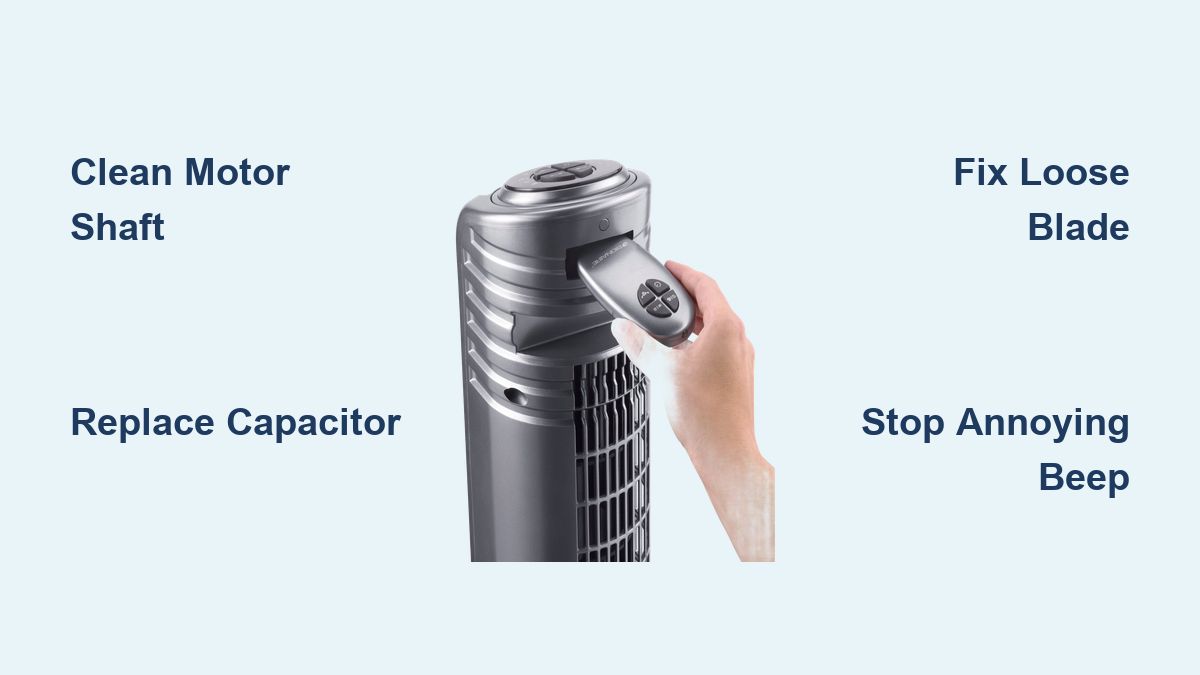
Bionaire Tower Fan Troubleshooting Guide
Is your Bionaire tower fan not spinning, making strange noises, or failing to start? Many users face these exact problems with popular models like the BT440RC-CN, BSF1610ANC-U, and BTF 4002. The good news: most issues can be diagnosed and fixed at home with basic tools.
This guide covers every common symptom, from fans that stall in upright position to annoying beeping sounds. You’ll learn safe disassembly techniques, cleaning methods, component replacement, and how to restore full performance without buying a replacement fan.
Fix a Fan That Stops When Upright

Why Vertical Operation Causes Stalling
If your Bionaire tower fan works fine lying down but slows or stops when standing upright, the culprit is almost always bearing contamination. Gravity increases load on the motor shaft in vertical orientation. When factory grease degrades into thick black sludge, friction spikes. The motor lacks enough torque at low speeds to overcome this resistance.
This is a mechanical issue, not electrical. Cleaning and lubricating the shaft and bearings restores smooth rotation.
Clean and Lubricate the Motor Shaft
Unplug the fan and lay it horizontally before starting any repair work.
- Remove the base screws and detach the back panel using a flat tool to release plastic lugs.
- Access the motor spindle by removing the top bearing (two screws).
- Inspect the metal shaft and bearing housing for black hardened grease or sticky residue.
- Dip a Q-tip in isopropyl alcohol and scrub the shaft and bearing area thoroughly. Repeat until clean.
- Wipe dry and apply a thin layer of high-temperature grease (lithium or silicone) or 3-in-1 oil to the shaft.
- Reassemble and test in both orientations.
Apply lubricant sparingly. Excess attracts dust and worsens buildup over time.
Diagnose Humming With No Blade Movement

Test for Capacitor Failure
A humming fan that won’t spin often points to a failing start capacitor. This component gives the motor the initial jolt to start rotating. When weakened, it allows power flow (hence the hum) but not enough torque to turn the blades.
To check the capacitor on models like BSF1610ANC-U and BTF4002:
- Disassemble to access the motor base or control housing.
- Locate the capacitor (small cylindrical component with two wires).
- Look for bulging, leaking, or discoloration. These are clear signs of failure.
- Replace with an identical unit. Match voltage and microfarad rating exactly.
Capacitors cost under $10 and take minutes to swap. This repair often brings dead fans back to life.
Check for Shaft Friction or Debris
Even with a good capacitor, resistance can prevent startup. Manually spin the blade. If it feels stiff or gritty, debris or dried lubricant is likely the cause.
Remove the blade assembly if possible and clean the shaft. Use 30-weight oil or sewing machine oil on bushing contact points. Re-lubricate sparingly and retest.
Never force the blade if it won’t move. If stuck due to Loctite-treated screws (common in ETF 4026), use clamps for leverage or cut the screw head carefully.
Restore Airflow When Motor Spins

Tighten Loose Blade Mounting
If the motor runs but no air moves, the blade may be detached from the shaft. This is common in BTF4002 and similar models.
- Power off and unplug the fan.
- Inspect the set screw on the blade hub.
- If loose, tighten with an Allen wrench or hex key.
- If the screw is stripped or broken, replace it with a compatible ceiling fan motor set screw.
After tightening, spin the blade by hand. It should rotate freely with the shaft.
Inspect Rubber Coupling Integrity
Some Bionaire fans like BT440RC-CN use a rubber coupling between motor and blade to reduce vibration. If the coupling is cracked or sheared, the motor spins independently.
Remove the blade and examine the coupling. Replace if damaged. Generic rubber dampers may work if OEM parts are unavailable.
Fix Intermittent or No Power

Verify Outlet and Plug Fuse
Start with the simplest diagnostics before disassembling anything.
Plug another device into the same outlet to confirm power is working. For older Mini Tower Fans, check the fuse inside the power plug. Use a screwdriver to open the plug casing. Inspect the fuse (usually 3 to 5 amp) and replace if blown.
Inspect Internal Wiring Connections
Loose wires are common in dropped or aged units.
- Open the back panel carefully.
- Check all wire connections at the circuit board and motor.
- Ensure no wires are frayed, disconnected, or touching metal.
- Re-secure any loose terminals.
Silence the Annoying Beep
Remove or Secure the Internal Speaker
The BTF4002 emits a persistent beep due to a small internal speaker vibrating loose. This is an easy fix that doesn’t affect fan performance.
- Remove the front panel (four screws: two in handle, one lower back, two in front compartment).
- Open the small cover over the circuit board (two Phillips screws).
- Locate the small round speaker on the board’s front.
- Gently pry off the plastic cap with a precision screwdriver, or disconnect the wires if accessible.
The fan operates silently after this fix. No functionality is lost. The beep is only for button feedback.
Repair Failed Oscillation

Re-engage the Gear Mechanism
Mini Tower Fans often lose oscillation due to disengaged gears.
- Remove the rear cover gently.
- Locate the oscillation gear train (plastic gears near the base).
- Manually rotate the fan head left and right to realign gears.
- Check for broken teeth or stripped gears.
- If motor-driven, test the oscillation actuator for power.
If gears won’t engage, the actuator may need replacement. Often realignment alone solves the problem.
Fix Stuck or Unresponsive Buttons
Replace Worn Tactile Switches
Mini Tower Fan buttons may stop clicking or remain depressed due to broken switch mechanisms under the panel.
- Open the housing to access the control board.
- Identify the faulty tactile switch.
- Desolder and replace with a matching micro switch (available online).
- Reassemble and test all speeds.
If soldering isn’t possible, lightly press the switch with a toothpick to confirm function before replacing.
Disassemble Without Breaking Clips
Release Latches Safely (BTF4002)
The BTF4002 uses fragile interlocking latches that can break with excessive force.
- Remove all visible screws (four total).
- Insert a narrow flathead screwdriver into the gap between front and back panels.
- Gently pry while pushing the black plastic latch inward and pulling the silver metal piece outward.
- Work around the perimeter, releasing one clip at a time.
Excessive force breaks plastic clips. If stuck, double-check for missed screws before prying harder.
Replace the Thermal Fuse Safely
Bypass Only After Fixing Friction
A blown thermal fuse cuts power to the motor but leaves lights and buttons working. This happens when excessive heat from friction triggers the safety device.
Temporary bypass for emergency use:
- Remove back cover (five screws).
- Locate the control box under the motor.
- Connect the black wire directly to the brown wire.
- Power on. If the fan runs, the fuse was the issue.
Bypassing removes overheat protection. Only do this after cleaning and lubricating the shaft and replacing worn washers. Replace the thermal fuse permanently once mechanical causes are resolved.
Correct Plastic Washer Wear
Polish Shaft and Re-lubricate
In vertical motors (BTF4002), plastic thrust washers wear down, allowing the armature to rub the housing.
- Disassemble the motor and remove the rotor.
- Polish the shaft with a Scotch-Brite pad to remove burrs.
- Apply 30-weight oil to all bushing contact points.
- Reassemble. If possible, replace worn washers with metal or upgraded plastic versions.
This reduces drag and prevents future fuse blowouts.
Deep Clean a Stored or Dirty Fan
Wash and Dry All Components
For fans pulled from storage or heavy use:
- Remove base, housing, and covers.
- Hose down with soapy water. Scrub the power cord. It collects the most grime.
- Vacuum internal cavities to remove cobwebs and insects.
- Wipe control box and junction areas with a damp cloth.
Let all parts air-dry for 24 hours before reassembly. Moisture causes electrical shorts.
Reassemble Without Mistakes
Match Screws and Align Clips
Bionaire uses identical-looking screws for different roles. Using the wrong screw can damage components.
Take a photo during disassembly showing screw locations. Label screws by position (capacitor, housing, motor). If motor screws were cut due to Loctite, replace with exact-length substitutes.
Ensure all plastic clips snap fully. A loose front panel can bend the latch over time.
Test Performance Like a Pro
Run These Final Checks
After any repair, verify performance thoroughly.
- Cycle through all speed settings. No hesitation on low.
- Run upright and horizontal. No stalling in either position.
- Test oscillation for smooth, full-range sweep.
- Check airflow is strong and even from top to bottom.
- Observe spin-down. Blades should slow gradually, not abruptly or too long.
Listen for scraping, buzzing, or humming. Quiet operation means success.
Decide: Repair or Replace?
When to Fix vs. Buy New
Mechanical issues like bearing contamination cost nearly nothing to fix and restore full life. Failed capacitors cost under $10 and are worth the effort. Blown thermal fuses cost a few dollars but require fixing mechanical friction first.
Motor winding damage costs $40 or more to repair. At that point, replacing the fan makes more sense. Many Bionaire fans originally sold for under $100. New models offer better efficiency and warranties.
If your unit is repairable, cleaning and lubricating can extend its life for years.
Frequently Asked Questions About Bionaire Tower Fan Troubleshooting
Why does my Bionaire fan stop when placed upright but works fine horizontally?
This is typically bearing contamination. When the fan is vertical, gravity increases load on the motor shaft. Degraded grease creates friction that the motor cannot overcome at low speeds. Clean and lubricate the shaft and bearings to fix this.
How do I stop my Bionaire tower fan from humming without spinning?
A humming fan with no blade movement usually indicates a failing start capacitor. Check the capacitor for bulging, leaking, or discoloration. Replace with a matching capacitor (match voltage and microfarad rating). This is an inexpensive fix that often restores full function.
Can I fix a Bionaire fan that has no power but lights still work?
This points to a blown thermal fuse. The fuse cuts power to the motor while keeping control electronics active. You can bypass it temporarily by connecting black wire to brown wire, but you must first address the underlying mechanical friction (clean and lubricate) or the fuse will blow again.
How do I stop the annoying beep on my BTF4002?
Remove the front panel and the small circuit board cover. Locate the small round speaker on the board. Gently pry off the plastic cap or disconnect the speaker wires. The fan operates silently afterward with no loss of functionality.
Why won’t my Bionaire tower fan buttons work?
Worn tactile switches under the button panel cause this issue. Open the housing, locate the faulty switch on the control board, and replace with a matching micro switch. This is a common problem in Mini Tower Fan models.
Is it worth repairing an old Bionaire tower fan?
If the issue is bearing contamination, a failed capacitor, or a blown thermal fuse (with friction fixed), repair is absolutely worth it. These fixes cost under $10 and restore years of function. Only replace if motor windings are damaged, as that repair approaches the cost of a new unit.
Key Takeaways for Bionaire Tower Fan Troubleshooting
Bionaire tower fan problems are usually mechanical rather than electrical. Bearing contamination from degraded grease is the most common culprit, especially for fans that stall in upright position. Clean the shaft thoroughly with isopropyl alcohol and apply fresh lubricant to restore smooth operation.
Always address mechanical friction before replacing electrical components. A blown thermal fuse is often a symptom of underlying mechanical problems. Cleaning and lubricating the motor first prevents the new fuse from blowing immediately.
Simple repairs like capacitor replacement and beep removal are DIY-friendly and cost under $10. With patience and the right approach, most Bionaire tower fans can be restored to full performance without professional help or replacement.