How to Clean Dreo Tower Fan
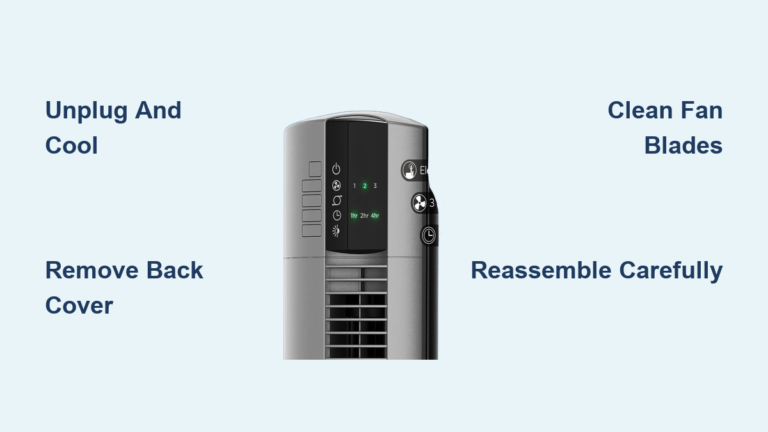
If your Dreo tower fan isn’t blowing as hard as it used to or makes an unusual noise, the culprit is likely dust buildup. Over time, dust, pet hair, and debris clog the grilles and coat the blades, reducing airflow and forcing the motor to work harder. Learning how to clean a Dreo tower fan properly is essential for maintaining peak performance, extending its lifespan, and ensuring cleaner air circulation in your home.
This guide walks you through safe, model-specific cleaning steps for Dreo’s most popular series, including Nomad, Pilot, Cruiser, and TurboPoly models. Whether you’re doing routine dusting or a deep clean, you’ll learn exactly how to disassemble, clean, dry, and reassemble your fan without risking damage.
Safety First: Critical Precautions Before Cleaning
Before touching any part of your fan, follow these essential safety rules to avoid injury or damage.
Always Unplug the Fan First
Always disconnect the unit from the power source before cleaning. Even a quick wipe-down requires the fan to be unplugged. Electrical components inside are sensitive, and water or moisture exposure can lead to short circuits or permanent failure.
Never Immerse the Base or Motor
Do not submerge the main housing, base, or motor unit in water. Only removable parts like grilles and blades can be rinsed. The internal electronics must stay dry at all times.
Avoid Harsh Chemicals and Abrasives
Use only mild soap and water on detachable components. Bleach, ammonia, or abrasive sponges can scratch plastic surfaces and degrade materials over time. Stick to a soft cloth and gentle detergent.
Work on a Clean, Dry Surface
Lay out your tools and disassembled parts on a towel or non-slip mat. This prevents scratches and keeps small parts like screws from getting lost.
Gather Your Cleaning Supplies
Having the right tools makes cleaning faster and safer. Most items are likely already in your home.
Essential Tools List
You will need these basic supplies to clean your Dreo tower fan effectively.
- Microfiber cloths for streak-free wiping without lint
- Soft-bristled brush for loosening dust from tight spaces
- Vacuum with brush attachment for removing deep-set dust from vents and blades
- Mild dish soap safe for plastic parts
- Screwdriver required for secured grilles on Pilot, Cruiser, and TurboPoly models
- Hairdryer on cool setting only to speed up drying
- Compressed air duster optional for hard-to-reach areas
No special cleaners or expensive tools are needed. A few basic supplies are all it takes to restore your Dreo fan’s performance.
Cleaning Schedule: When to Clean Your Fan
Regular maintenance prevents performance issues and reduces the need for intensive cleaning later.
Every Two Weeks: Quick Dusting
Use a dry microfiber cloth or vacuum brush to wipe down the exterior and front grille. This prevents dust from embedding into crevices and entering the motor area.
Every 1-2 Months: Deep Clean
Perform a full disassembly and cleaning of grilles and blades. This is crucial during heavy-use months like summer.
Immediate Clean If You Notice
Certain signs mean your fan needs attention right away.
- Reduced airflow compared to normal operation
- Unusual grinding or rattling sounds
- Visible dust accumulation on blades
- Overheating or automatic shutdown
How to Clean the Dreo Nomad Series
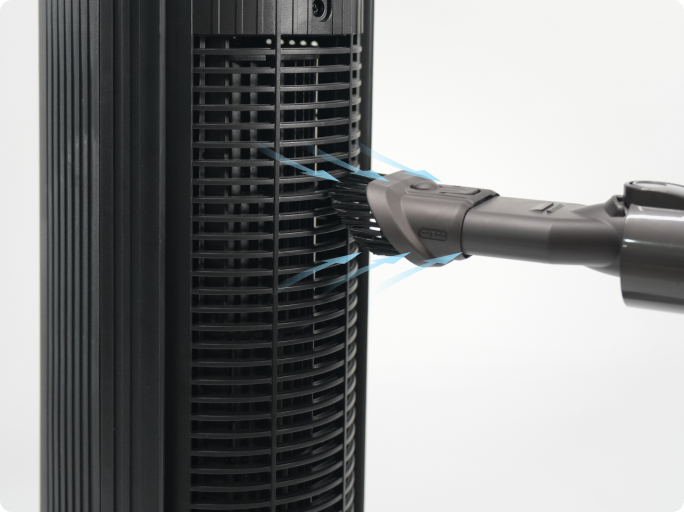
The Nomad One and similar models feature a simple, tool-free design that makes cleaning easy.
Remove the Front Grille Safely
Unplug the fan. Gently pull the front grille straight off. It is designed to pop off with light pressure, so never force it. If it resists, check for hidden latches or screws.
Clean the Grille Thoroughly
Wash the grille with warm water and a drop of mild soap. Use a soft brush to scrub between the slats. Rinse well and place on a towel to air dry completely.
Dust the Blades Without Water
Do not spray or wipe water near the blade assembly. Instead, use a vacuum with a narrow brush attachment to suck dust from between blades. Alternatively, use a dry microfiber cloth wrapped around a butter knife to reach between slats. Avoid touching the motor shaft or center hub.
Wipe the Exterior Casing
Dampen a cloth with soapy water, wring it well, and wipe the entire body. Avoid getting moisture near the control panel or base vents.
Reassemble Only When Dry
Wait until the grille is fully dry, which may take 2-4 hours. Snap it back into place until it clicks. Plug in and test all speed settings.
Cleaning Dreo Pilot and Cruiser Models

These fans often have both front and rear grilles, requiring a screwdriver for full access.
Start With Surface Cleaning
Wipe the outer shell with a dry or slightly damp microfiber cloth. Use the vacuum hose to pull dust from side vents and the base.
Remove the Rear Grille
Locate the single screw on the top or bottom of the rear grille. Remove it with a screwdriver. Carefully slide or lift the grille off, following your model’s manual.
Vacuum the Interior and Blades
With the rear open, use the vacuum brush to clean the backside of the front grille, blade surfaces, and interior housing. For stubborn dust, use compressed air to blow debris outward.
Wash and Dry the Grille
Rinse the removed grille under running water with mild soap. Do not soak it. Dry with a towel and let it air dry for at least 2 hours.
Reattach Securely
Align the grille and replace the screw. Tighten it firmly but do not overtighten, which could strip the plastic.
Test for Smooth Operation
Plug in the fan. Turn it on and listen for unusual noise. If it vibrates, double-check that the grille is seated properly and the screw is secure.
Deep Cleaning TurboPoly Models
These pedestal and circulator fans have a rotating locking mechanism and removable blades for thorough cleaning.
Remove Front Grille on Models 311 and 502
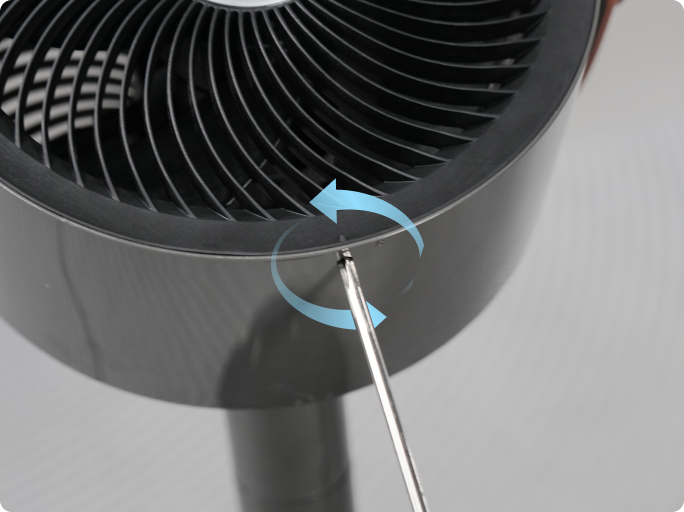
Unscrew the front grille screw. Rotate the grille counterclockwise to unlock. Pull it straight off.
Remove the Blade Assembly
Twist the blade cap off, then gently pull the entire blade set from the shaft. Set aside carefully to avoid bending the blades.
Wash Blades and Grille
Rinse both parts under lukewarm water with mild soap. Use a soft brush to clean between blades. Do not scrub aggressively, as this can unbalance the blade set.
Dry All Parts Completely
Air dry for 3-4 hours. For faster results, use a hairdryer on cool air only. Never apply heat, which can warp plastic.
Reinstall Blades Correctly
Align the D-shaped center point of the blade hub with the motor shaft. Slide the blade assembly fully onto the shaft. Replace and twist the cap back into place. Misalignment causes wobbling or failure to spin.
Reattach the Grille
Align the grille’s mark with the casing indicator. Rotate clockwise until it locks. Replace the screw.
For Model 704S: Clean Both Grilles
The 704S has dual grilles. Follow the same steps for the rear grille. Remove the screws, rotate counterclockwise to detach, clean and dry thoroughly, then reinstall with proper alignment and clockwise rotation.
Troubleshoot Common Post-Cleaning Issues
Even after a proper clean, problems can arise if reassembly is not perfect.
Fan Won’t Spin
Check blade alignment on the D-shaped shaft. Remove the blade and re-seat it, ensuring the flat side of the D-shape matches the motor shaft.
Loud Noise or Vibration
This is caused by unbalanced blades or loose grille. Confirm all screws are tightened. Ensure the grille is fully locked in place. Verify blades are dry and evenly cleaned, as one side heavier with moisture can cause wobble.
Reduced Airflow
Check for clogged vents or incomplete grille reattachment. Vacuum side and rear vents again. Make sure grilles are fully secured, as gaps reduce efficiency.
Fan Shuts Off Automatically
This likely means moisture is in the motor housing. Unplug immediately. Let the unit sit in a dry, warm room for 12-24 hours. Never use heat to dry internal parts.
Prevent Dust Buildup: Smart Maintenance Tips
Keep your Dreo fan cleaner longer with these habits.
Use a Fan Cover During Off-Season
When storing, cover the fan with a breathable cloth bag or pillowcase. This blocks dust while allowing airflow to prevent mold.
Place Away From Dust Sources
Avoid positioning the fan near open windows, pet bedding, or cluttered shelves. Even small dust sources accumulate quickly inside moving parts.
Run at Higher Speeds Occasionally
Running the fan on high for 10-15 minutes weekly helps blow loose dust out of internal vents.
Clean Filters If Applicable
Some Dreo models include air filters. Check monthly and rinse or replace as needed.
Final Reassembly and Safety Check
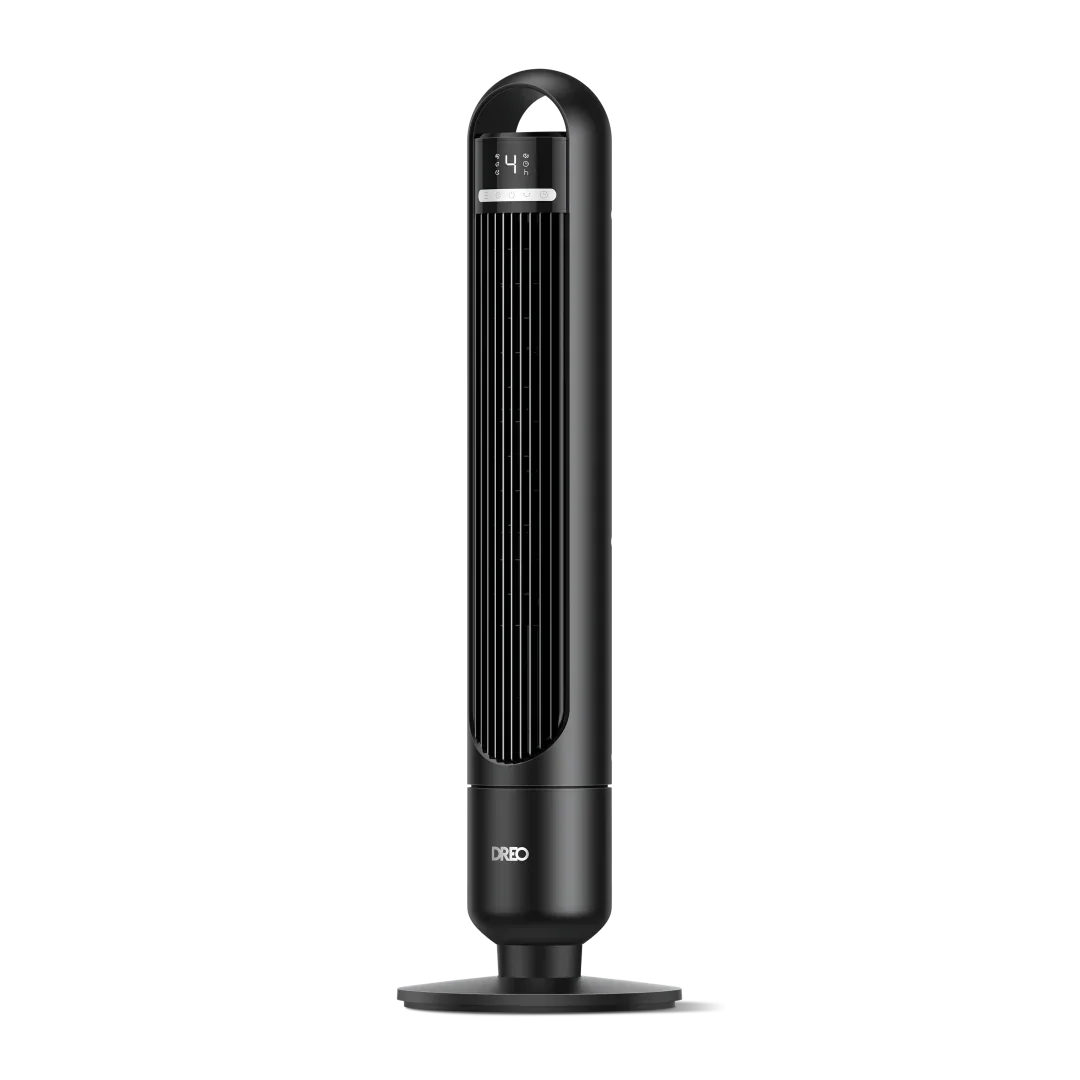
Before using your fan, verify these critical points.
Visual Inspection
Check that all screws are replaced and tightened. Verify the grille is fully rotated into the locked position. Confirm blade caps are secure.
Dryness Verification
Touch the blade hub and inside the motor housing if accessible. No dampness should be present.
Operational Test
Plug in the fan. Turn on and test low, medium, and high speeds. Confirm smooth startup and quiet operation. If oscillating, ensure movement is free and even. If anything feels off, unplug and recheck alignment and dryness.
Frequently Asked Questions About Cleaning Dreo Tower Fans
How often should I clean my Dreo tower fan?
You should perform quick dusting every two weeks and a deep clean every 1-2 months. Clean immediately if you notice reduced airflow, unusual noise, or visible dust buildup.
Can I use water to clean the fan blades?
You should avoid using water directly on the blades. Instead, use a vacuum with a brush attachment or a dry microfiber cloth. Only rinse removable grilles and blade caps.
Why is my Dreo fan noisy after cleaning?
Loud noise usually means the blades are unbalanced or the grille is loose. Check that all screws are tightened and the grille is fully locked. Ensure blades are dry and evenly cleaned.
Can I submerge my Dreo tower fan in water?
No, never immerse the main unit, base, or motor housing in water. Only removable parts like grilles and blades can be rinsed. The internal electronics must stay dry.
What should I do if my fan won’t spin after cleaning?
This is usually a blade alignment issue. Remove the blade and re-seat it, ensuring the D-shaped center point matches the motor shaft properly.
Key Takeaways for Maintaining Your Dreo Tower Fan
Cleaning your Dreo tower fan every 1-2 months keeps it efficient, quiet, and long-lasting. By following model-specific steps and avoiding water near the motor, you protect your investment and improve indoor air quality. Always unplug before cleaning, use mild soap only, and ensure all parts are completely dry before reassembly. Whether you own a Nomad, Pilot, Cruiser, or TurboPoly model, this routine ensures powerful, reliable cooling all year round.