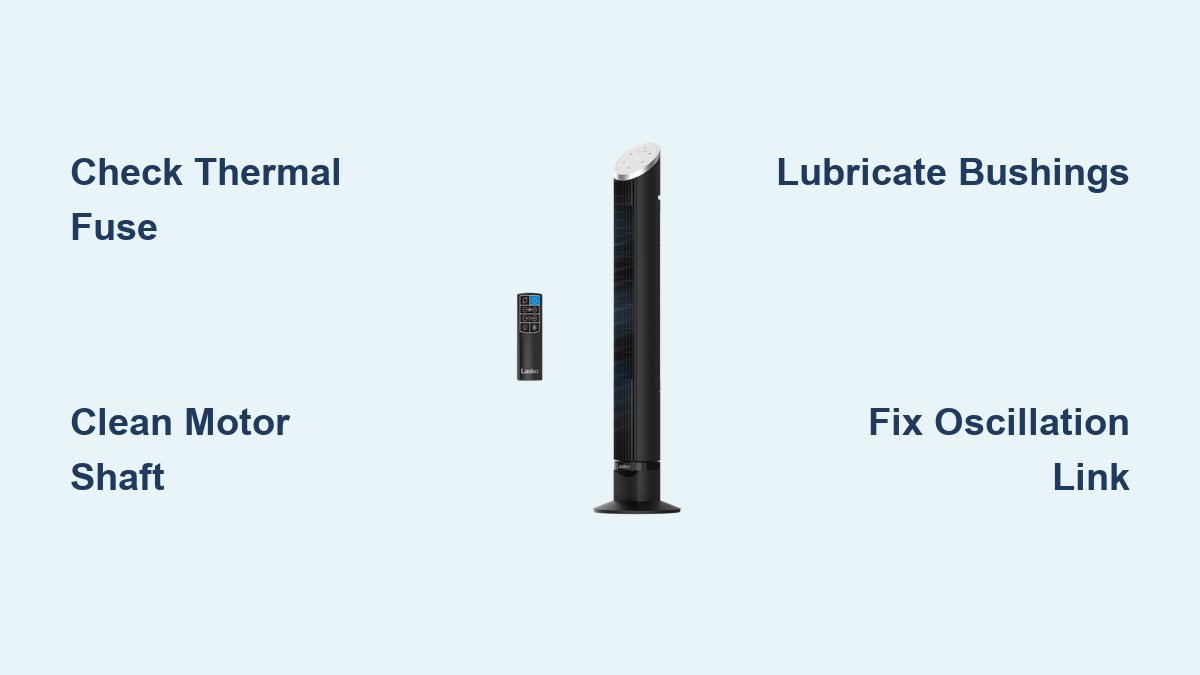
Fix Lasko Tower Fan Not Spinning
You flip the switch, press the remote, or turn the dial. Your Lasko tower fan powers up, the control lights glow, but the blades refuse to move. No breeze. No cooling relief. Just that frustrating silence where airflow should be. If your Lasko tower fan is not spinning, you are dealing with one of the most common failures in household cooling equipment, and you are definitely not alone.
The good news is that this issue is almost always fixable. In most cases, the problem stems from either a seized motor caused by dried-out bushings and a blown thermal fuse, or a broken oscillation linkage that stops the sweeping motion despite a working motor. This guide walks you through the exact diagnostic steps and repair procedures to get your fan spinning again for under $10.
Diagnose the Real Problem First
Before you open tools, confirm whether the issue is electrical, mechanical, or a mix of both. Accurate diagnosis saves time and prevents wasted parts.
Check Power and Oscillation
Start with these simple checks.
The fan powers on and oscillates but blades do not spin. This means the motor is not receiving power. The fan blades spin but there is no side-to-side movement. This means the motor works but the base mechanism is broken. The fan does nothing at all. This points to power delivery or control board failure.
Listen for warning signs. Did your fan make squeaking, grinding, or buzzing noises before it stopped working. These sounds indicate internal friction or motor strain, pointing directly to bushing wear or shaft binding. A sudden stop after long use suggests overheating and thermal fuse activation.
Test the Capacitor
The capacitor helps start and run the motor. Use an ESR meter or multimeter to test it.
You must disconnect power first. Then discharge the capacitor by shorting its terminals with an insulated screwdriver. Set your multimeter to capacitance mode and compare the reading to the labeled value, which is usually 1 to 2 microfarads.
If the reading is significantly lower or shows no charge, replace the capacitor. But if the capacitor tests good and power reaches the motor with no spin, the fault shifts to the motor itself or the thermal fuse.
Fix a Locked Motor Shaft

When the motor refuses to turn, even when you try to spin it by hand, the most likely culprit is bronze bushing degradation inside the sealed AC motor.
Why Bushings Fail Over Time
Lasko tower fans use bronze bushings with rubber dampeners, not ball bearings. These rely on an oil-soaked sponge to stay lubricated.
Over 3 to 4 years, the sponge dries out. Friction increases between the shaft and the bushing. Heat builds up during operation. Eventually, the shaft seizes completely.
Forced attempts to run the motor under this strain cause excessive current draw, leading to overheating and the next critical failure.
Replace the Blown Thermal Fuse

How the Thermal Fuse Protects Your Fan
Buried in the motor harness or thermal sleeve is a small but vital safety device. The 2A, 250V, 130°C thermal fuse cuts power when temperatures exceed safe limits, exactly what happens during a bushing seizure.
Once blown, this fuse opens the circuit and stops all power to the motor. The fan appears dead even though other components work perfectly.
How to Test and Replace It
Unplug the fan and discharge the capacitor. Open the housing to access the motor assembly. Locate the thermal fuse, which is often a small cylindrical component inline with motor wires.
Use a multimeter in continuity mode. No beep means an open circuit and a blown fuse. A beep means the fuse is intact.
Cut out the old fuse and splice in a new 2A, 250V, 130°C replacement. Insulate all connections with heat-shrink tubing to prevent shorts. Reinstall the fuse so it makes contact with the motor body for accurate heat sensing.
Pro Tip: Never bypass the thermal fuse. It is a fire safety device. Replacing it restores protection while fixing the root cause.
Restore Motor Rotation: Clean and Lubricate
Replacing the fuse alone will not fix a locked shaft. You must address the mechanical seizure.
Step-by-Step Motor Restoration
Remove the motor unit. Unplug the fan. Remove tamper-proof screws on the top cover using a Dremel to notch heads if needed. Unscrew the front housing and gently pull out the motor and blade assembly.
Clean the shaft and bushing. Use isopropyl alcohol and cotton swabs. Scrub the motor shaft and inside the bushing housing. Remove all old gunk, dried oil, and carbon buildup.
Polish the motor shaft. Inspect for rust, pitting, or rough spots. Use a 3,000-grit polishing pad or buffing wheel on a drill. Polish until the shaft is smooth and reflective. Wipe clean with alcohol.
Re-lubricate properly. Apply Teflon-based lubricant like Tri-Flow to the shaft and bushing. Avoid WD-40 because it evaporates quickly and can damage rubber dampeners. Saturate the oil-absorbent sponge inside the bushing. Let it sit for 10 minutes to absorb.
Test rotation manually. Spin the shaft by hand. It should turn smoothly with no resistance or grinding. If it is still stiff, repeat cleaning and lubrication.
Warning: Never force the shaft. Excessive pressure can damage internal windings.
Repair Oscillation Without Spinning

When the Motor Runs But Fan Does Not Sweep
If the blades spin but the fan stays pointed in one direction, the oscillation mechanism is broken, not the motor.
This is common in older models where plastic parts wear down over time.
Identify the Worn Pivot Point
Inside the base, a small lever arm connects the oscillation motor to a plastic drive piece. The hole in the plastic wears larger with use. The metal arm slips instead of turning the fan head.
The result is a motor that runs but produces no side-to-side movement.
Reinforce the Plastic Link
DIY Fix Using a Machine Screw
Instead of replacing the entire base for $30 or more, reinforce the worn hole with this simple fix.
Open the base housing. Remove screws from the bottom plate. Carefully separate the housing to expose the oscillation gears.
Locate the lever arm and plastic socket. Find the metal arm extending from the motor. Identify the plastic piece with the oversized hole.
Install a stabilizing screw. Insert an M3 black machine screw into the lever arm. Drive it just enough so the tip protrudes. Reinsert the arm into the plastic hole. The screw now fills the gap, restoring mechanical contact.
Secure the connection. Add a drop of Loctite thread locker to prevent vibration loosening. Reassemble the base and test.
Pro Tip: This modification often lasts longer than original parts because metal fills the gap caused by plastic wear.
Prevent Future Failures
Keep Your Fan Running Smoothly
Most Lasko tower fan failures are preventable with basic maintenance.
Run it regularly. Infrequent use accelerates lubricant dry-out. Run the fan for 30 minutes weekly, even off-season. This redistributes oil in the bushings and prevents static binding.
Listen for early warnings. Squeaking or grinding means stop using the fan immediately. Clean and re-lubricate the shaft before full seizure occurs. Early intervention avoids thermal fuse blowouts.
Clean dust and debris. Dust acts like sandpaper inside the motor. Use compressed air or a soft brush to clean around the motor housing, between the blades, and inside the base vents. Do this every 3 to 6 months, especially in pet or dusty homes.
Annual lubrication. Once a year, power down and unplug. Apply one drop of Teflon-based oil to the shaft access point. Let it wick into the bushing. Run on high for 10 minutes to distribute.
Cost vs. Repair Decision

Is Fixing Worth It
Absolutely. Here is the cost comparison.
| Item | Cost |
|---|---|
| Thermal Fuse (2A, 130°C) | $2.50 |
| Tri-Flow Lubricant (8 oz) | $6.00 |
| M3 Machine Screw | $0.10 |
| Total Repair Cost | ~$6–$7 |
| New Lasko Tower Fan | $70+ |
You save over $60 by repairing. Even if you spend 6 to 7 hours on your first attempt, it is a one-time learning curve. Future repairs take under an hour.
Upgrade Option: Install Ball Bearings
For long-term durability, modify the bracket to accept skateboard-grade ball bearings. These last 5 to 10 years compared to 3 to 4 for stock bushings. This requires basic drilling and fitting skills but eliminates future seizure risks.
Final Test: Bring It Back to Life
After repair, verify everything works safely.
Reassemble with Care
Ensure no wires are pinched. Tighten all screws. Confirm blade clearance. Reattach housing securely.
Power Up and Observe
Plug in and set to high speed. Listen. No squeaking or grinding means success. Watch. Blades should spin immediately and smoothly. For oscillation fixes, confirm full side-to-side sweep.
Monitor Temperature
Run for 15 to 20 minutes, then touch the motor housing. Warm is normal. Too hot to touch means check for remaining friction or misalignment.
If it runs cool and quiet, your repair is complete.
Quick Troubleshooting Flowchart
Use this to diagnose fast.
Do the blades spin. No goes to step 2. Yes goes to step 5.
Does the fan make noise. Squeak or grind means bushing seizure, so clean and lubricate. Silent means test thermal fuse.
Is thermal fuse blown. Yes means replace fuse. No means test capacitor.
Is capacitor good. Yes means motor is mechanically locked, so service bushings. No means replace capacitor.
Does fan oscillate. No means worn plastic pivot, so reinforce with screw. Yes means system fully functional.
Frequently Asked Questions About Lasko Tower Fans Not Spinning
Why did my Lasko tower fan suddenly stop spinning?
The most common cause is a combination of a seized motor shaft from dried-out bushings and a subsequently blown thermal fuse. When the bushing seizes, the motor draws excessive current and overheats, triggering the thermal fuse to cut power for safety.
Can I use WD-40 to lubricate my Lasko fan motor?
No. WD-40 evaporates quickly and can damage the rubber dampeners in the bushings. Use a Teflon-based lubricant like Tri-Flow for long-lasting results.
How do I know if the thermal fuse is blown?
Use a multimeter in continuity mode. Touch the probes to the thermal fuse terminals. No beep indicates an open circuit, meaning the fuse is blown and needs replacement.
Is it worth repairing a Lasko tower fan instead of buying a new one?
Yes. Repair costs approximately $6 to $7, while a new Lasko tower fan costs $70 or more. The repair is straightforward and saves over $60.
What causes the oscillation to stop while the blades still spin?
This is caused by a worn plastic pivot point in the base. The hole where the lever arm connects becomes oversized, allowing the arm to slip instead of transferring motion for side-to-side sweeping.
How often should I lubricate my Lasko tower fan?
Run the fan for 30 minutes weekly to keep bushings lubricated. Apply one drop of Teflon-based oil annually to the shaft access point for preventive maintenance.
Key Takeaways for Fixing Your Lasko Tower Fan
A Lasko tower fan not spinning is rarely beyond repair. The issue usually stems from dried bushings and a sacrificed thermal fuse, both fixable with basic tools and under $10. By restoring the motor smooth rotation and replacing the safety fuse, you revive a functional appliance that would otherwise be trashed.
Not only do you save money, but you also reduce e-waste and extend the life of a reliable product. With regular use and simple maintenance, your repaired fan can run smoothly for years to come.
Now that you know the secrets behind the spin, do not let a little friction stop the breeze. Open it up, clean it out, and get your Lasko tower fan spinning again today.