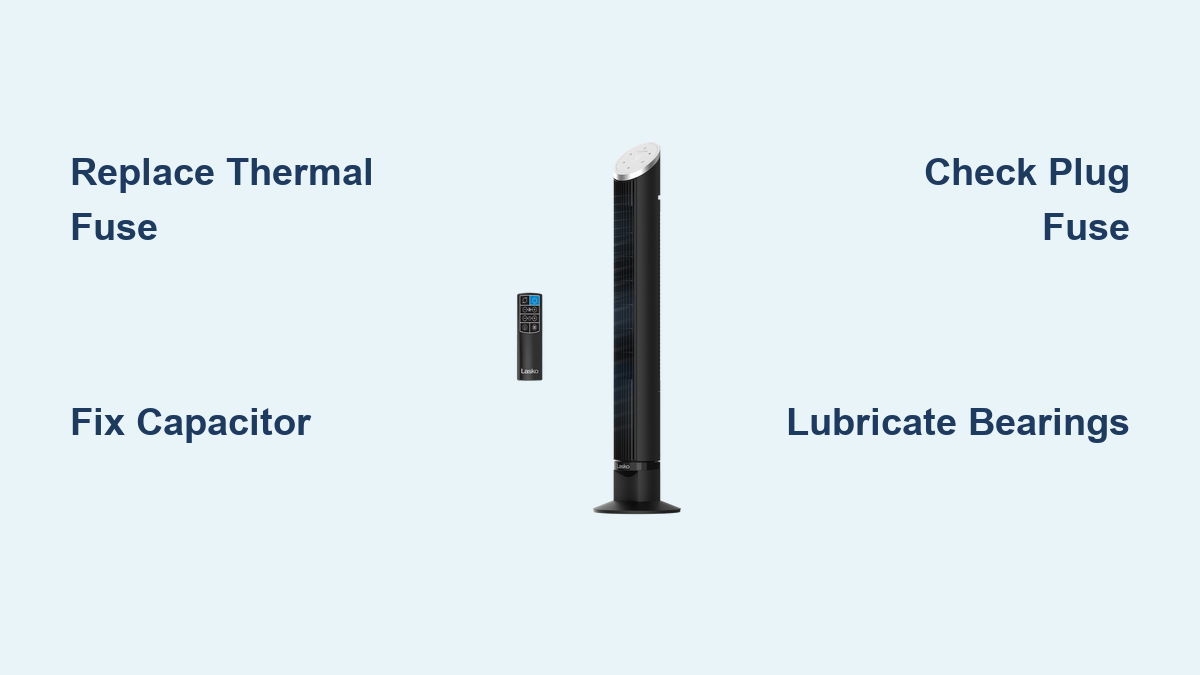
How to Fix Lasko Tower Fan
Your Lasko tower fan powers on, then suddenly stops. Or maybe it won’t start at all. You’re not alone. Thousands of users report identical issues within months of purchase, only to find replacement costs exceed $70. But before you toss it, know this: most Lasko tower fan failures are fixable with basic tools and under $10. This guide reveals the exact repair protocols based on real failure patterns and proven fixes.
Throughout this article, you’ll learn to diagnose specific symptoms, test components with a multimeter, and perform targeted repairs that restore full function.
Diagnose the Failure Mode

Identifying your specific symptom is the first step to a successful repair. Lasko tower fans fail in predictable ways, each tied to a specific component.
Fan Stops Suddenly With Squeaking Noise
You hear a brief squeal before the fan dies. This is a classic sign of a locked motor and blown thermal fuse.
The root cause involves worn bronze bushings that cause friction, overheating the motor. The thermal fuse blows to prevent fire. To check it, unplug the fan and try spinning the shaft by hand. If it’s stiff or catches, the bearings are seized.
Shuts Off When Increasing Speed
The fan starts on low but cuts out when you switch to medium or high. The speed LED might flash or go dark.
The likely fault is a failing electrolytic capacitor (470µF/16V). The capacitor cannot deliver stable power under load, causing the motor to stall. This commonly occurs in models like P/N 02035093PWVN.
No Power: No Lights, No Sound
The fan is completely dead. You press the button, nothing happens. Yet the outlet works.
Two possible causes exist. First, a blown plug fuse (2.5A, molded into the power plug). Second, a blown thermal fuse inside the motor (130°C/2A). Quick test: look for “Patent” written between the plug prongs. If present, the plug contains a fuse.
Motor Hums But Blades Do Not Spin
The fan makes noise and oscillates, but the blades stay still.
This indicates dry or seized spindle bearings. Cause is often water exposure during cleaning or long-term oil degradation. Good sign: oscillation working means the main motor is getting power.
Replace the Thermal Fuse (130°C/2A)

If your fan stopped suddenly and the shaft feels stiff, the thermal fuse likely blew due to motor overheating.
Locate and Test the Fuse
The thermal fuse is embedded in a small sleeve near the motor windings, not on the circuit board.
To test it, unplug the fan. Use a multimeter set to continuity or resistance. Touch probes to both ends of the fuse. No beep or OL reading means the fuse is blown.
Always discharge the capacitor first. Short its terminals with a screwdriver to avoid shock.
Install the New Fuse
Buy a 130°C, 2A, 250V thermal fuse (pack of 10 for about $5).
Follow these steps:
• Clip the old fuse leads
• Solder the new fuse in place
• Cover connections with shrink tubing
Never use a 150°C fuse. The 130°C rating is critical for fire safety.
If the fuse blows again, the motor or bushings are too damaged. Repair may not be viable.
Fix Speed Shutdowns: Replace the Capacitor
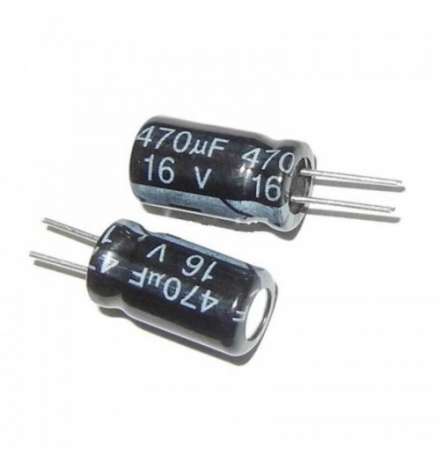
If your fan dies at higher speeds, replace the 470µF/16V electrolytic capacitor.
Access the Capacitor
Remove base screws to open the lower housing. Locate the cylindrical black or grey capacitor near the motor or control board. Take a photo of the wiring before disconnecting.
Desolder and Replace
Heat both leads and pull the old capacitor out. Install the new capacitor by matching 470µF capacitance exactly. Voltage can be 16V or higher (25V is fine). Align the negative stripe with the board’s negative terminal. Solder and trim excess leads.
Verify the Fix
Reassemble and test all speeds. The fan should now run smoothly on high without shutting down.
Model P/N 02035093PWVN commonly fails due to capacitor issues. This fix restores full function.
No Power? Check the Plug Fuse

Many Lasko fans have a 2.5A fuse built into the power plug, a known failure point.
Confirm It’s Fused
Look for “Patent” stamped between the plug prongs. If the fan worked before and now has zero power, this fuse likely blew.
Replace the Plug
Since the fuse is non-replaceable, cut off the fused plug. Strip the wire ends. Attach a standard non-fused plug (about $3 at hardware stores). Secure connections and insulate.
Replace the entire power cord if frayed or damaged.
Avoid pressing multiple buttons at once. This surge can blow the fuse.
Lubricate Seized Bearings (No Disassembly)
If the motor hums but blades won’t spin, lubrication may save it without full disassembly.
Apply Lubricant
Unplug the fan. Find the top and bottom shaft openings where the tower pivots. Spray silicone lubricant (like WD-40 Specialist Silicone) into both ends. Manually rotate the fan head to distribute oil.
Deep Clean (If Washed)
Water washes away factory lubrication. To revive a washed fan, rinse blades and housing outdoors only. Dry completely for 3 to 5 days in direct sunlight. Lubricate pivot points. Run on high for 5 to 10 minutes. A gentle push may help start rotation.
Avoid standard WD-40. It’s a penetrant, not a long-term lubricant. Use Triflow or silicone spray instead.
Disassemble and Clean (Model 2517 and Similar)

Dust buildup causes overheating and premature failure. Clean every 6 to 12 months.
Remove the Housing
Unplug the fan. Remove 2 Phillips screws at top, 1 top-left screw, 2 bottom screws, and 1 security screw (top-right, often requires a special bit). Gently pry the back cover from the bottom using a plastic tool.
Clean Components
Wipe blades with a microfiber cloth. Dampen slightly if needed, but never soak. Use compressed air to blow out dust from the motor housing. Clean shaft and bearings with isopropyl alcohol and Q-tip.
Reassemble
Snap the cover back. Tighten all screws, especially the security screw. Ensure safety switches engage. The fan won’t run if the casing is open.
Restore a Locked Motor Shaft

If the shaft is stiff, rebuild the bronze bushings.
Clean and Polish
Disassemble to access the motor. Clean bushings and shaft with isopropyl alcohol. Polish the shaft using 3,000-grit sandpaper. Wrap paper around the shaft and rotate by hand. Buff with a drill-mounted polishing pad for smooth finish.
Re-Lubricate
Apply Triflow (Teflon-based lubricant). Avoid grease because it attracts dust. Rotate shaft manually to spread oil.
Bronze bushings are self-lubricating but degrade over time. This fix can extend life by years.
Prevent Future Failures
Most Lasko fan failures are preventable with simple habits.
Annual Lubrication
Apply lightweight oil to pivot points once a year. Use Triflow or silicone spray, not WD-40.
Avoid Button Overload
Never press multiple control buttons at once. This surge can blow the 2.5A plug fuse.
Keep It Dry
If washing, dry for 3 to 5 days before use. Moisture causes short circuits and bearing rust.
Reduce Dust Exposure
Place the fan away from pet areas or lint-heavy rooms. Dust accelerates bushing wear.
Troubleshooting Quick Reference
| Symptom | Likely Cause | Fix |
|---|---|---|
| No power, “Patent” plug | Blown plug fuse | Replace plug |
| No power, shaft spins freely | Blown thermal fuse | Replace 130°C/2A fuse |
| Stops with squeak | Seized bushings | Clean, polish, lubricate |
| Shuts off at high speed | Weak capacitor | Replace 470µF/16V |
| Motor hums, blades stuck | Dry bearings | Lubricate top/bottom shaft |
| Intermittent power | Bad switch or cap | Test switch; replace cap |
Repair vs. Replace: Is It Worth It?

Repair costs $5 to $7 (fuse, lubricant, plug). Replacement costs $70 or more. Time investment is 3 to 5 hours for first-time repair.
Units over 6 years old have been revived successfully. Repairing reduces e-waste and extends appliance life.
Frequently Asked Questions About Lasko Tower Fan Repair
Why does my Lasko tower fan stop working suddenly?
The most common cause is a blown thermal fuse. This happens when the motor overheats due to seized bearings or debris buildup. The fuse blows to prevent fire, killing power to the fan.
Can I fix my Lasko fan myself?
Yes. Most issues involve replaceable components like the thermal fuse, capacitor, or plug fuse. With a multimeter, a few dollars in parts, and this guide, you can fix most problems yourself.
How do I know if the capacitor is bad?
The fan starts on low speed but shuts off when switching to medium or high. The capacitor cannot deliver stable power under load, triggering a safety shutdown.
Is it worth repairing an old Lasko tower fan?
Yes. Repair costs $5 to $7 versus $70 or more for replacement. Even units over 6 years old can be revived successfully with proper maintenance.
What tools do I need to fix a Lasko tower fan?
You’ll need a multimeter for testing, a soldering iron for fuse and capacitor replacement, screwdrivers for disassembly, and silicone lubricant or Triflow for bearing maintenance.
How do I prevent my Lasko fan from breaking again?
Lubricate pivot points annually, avoid pressing multiple buttons at once, keep the fan dry, and place it away from dusty areas or heavy lint exposure.
Key Takeaways for Fixing Your Lasko Tower Fan
Lasko tower fans are built with cost-saving components that fail predictably. The thermal fuse, capacitor, and plug fuse are the most common failure points, and all are replaceable. Start by diagnosing your specific symptom, then test the relevant component with a multimeter.
Repair costs a fraction of replacement prices, and most fixes take under an hour once you have the parts. Always use correct ratings (130°C/2A for thermal fuses, 470µF for capacitors) to maintain safety features. With basic tools and this guide, you can extend the life of your fan for years to come.