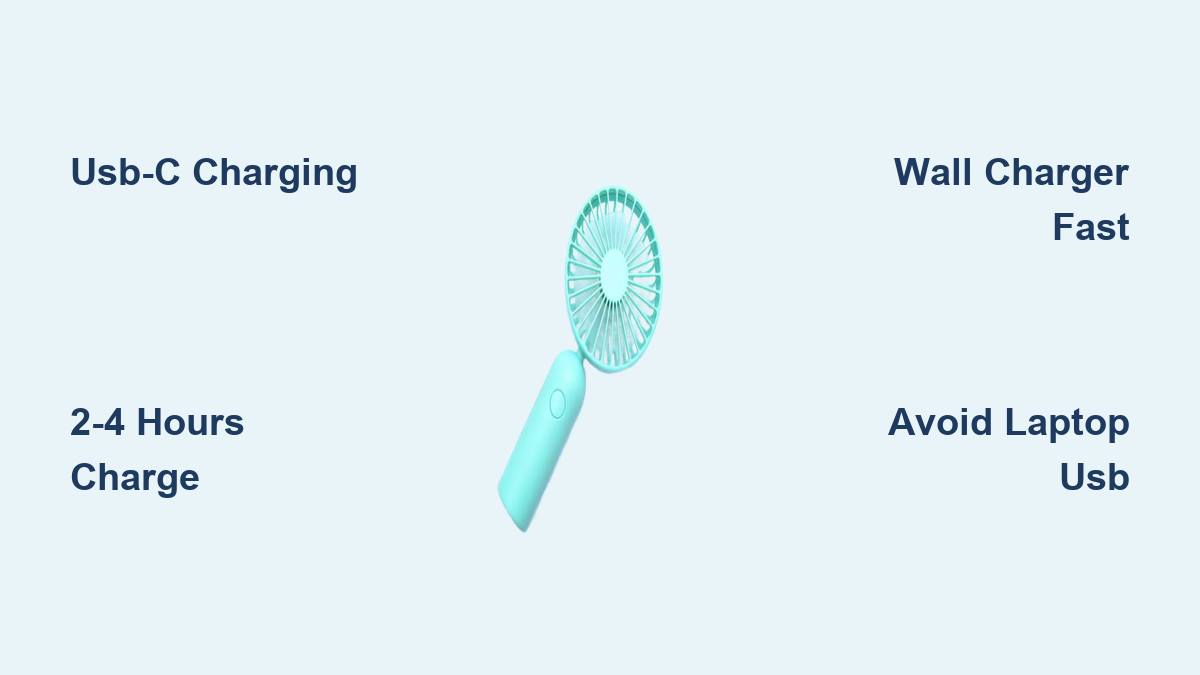
Portable Rechargeable Fan Charging Time Guide
How long does it take to charge a portable rechargeable fan? If you’re relying on one for travel, work, or relief during a heatwave, knowing the portable rechargeable fan charging time can make the difference between staying cool and sweating through your day. Most fans take 2 to 4 hours to fully charge, but this can vary widely from 1 hour for small, fast-charging models to 6+ hours for larger units with standard charging ports. The key factors affecting charging speed include battery capacity, charging port type, power source, and usage habits. In this guide, you’ll learn exactly what affects charging speed, how to optimize it, and how to choose a fan that fits your real-world needs.
Charging Time by Fan Size

The physical size of your fan directly impacts its battery capacity and charging duration. Smaller fans charge faster but offer shorter runtimes, while larger models take longer to charge but last much longer.
Small Fans: 1 to 3 Hours
Compact handheld or neck fans typically have batteries between 1,200 mAh and 2,000 mAh. These lightweight units charge in 1 to 3 hours, making them ideal for quick top-ups. However, their runtime is limited to 2 to 8 hours depending on speed setting. If you only need cooling during short commutes or workouts, a small fan with fast charging is perfect.
Pro Tip: Look for USB-C models in this category. They charge significantly faster than older Micro-USB versions and are more durable.
Medium Fans: 2 to 4 Hours
Fans with 120–180mm blades and batteries from 2,000 mAh to 4,000 mAh fall into this range. These are the most popular for desk or personal use. A 4,000 mAh battery is the sweet spot for 4–8 hours of runtime on medium speed. Charging takes 2 to 4 hours, especially with a wall charger.
Warning: If your medium fan charges via Micro-USB, expect closer to 4–5 hours unless using a high-amperage adapter.
Large Fans: 2 to 6+ Hours
Big desk or clip-on fans often pack 5,000 mAh to 8,000+ mAh batteries. These are built for all-day use but require longer charging. Without fast charging, larger batteries may take over 6 hours when plugged into a low-power source like a laptop.
Expert Note: If you cannot recharge during the day, prioritize capacity. But if you can top up during lunch or breaks, fast charging is more valuable than sheer size.
USB-C vs. Micro-USB: Speed Showdown
The charging port type is one of the biggest factors in how fast your fan powers up. Upgrading from Micro-USB to USB-C can cut charging time in half.
Micro-USB: Slow but Still Common
Fans with Micro-USB ports are often budget models or older designs. They typically max out at 5W (5V/1A) input, leading to 4–6 hour charge times even for mid-sized batteries. Charging via a computer USB port can stretch this to 8+ hours.
Avoid This Mistake: Do not assume any USB cable will work fast. A worn or low-quality Micro-USB cable can further slow charging or fail altogether.
USB-C with Fast Charging: Game Changer
Modern fans with USB-C and support for Power Delivery (PD) or Quick Charge (QC) can accept 18W or higher inputs. This allows a 5,000 mAh fan to charge in under 2 hours, with some models gaining 3–4 hours of runtime in just 30 minutes.
Real-World Example: A fan with 18W fast charging can go from 0% to 70% in 45 minutes, perfect for travelers or office users who need a quick boost.
Power Source Matters Most

Even the fastest-charging fan will not reach its potential without the right power source. The charger you use has a massive impact on portable rechargeable fan charging time.
Wall Chargers: Fastest Option
Use a 2.1A or 18W+ wall adapter for the quickest charge. These deliver maximum current, allowing your fan to charge at full speed. USB-C PD wall chargers are ideal for fast-charging models.
Pro Tip: Reuse your phone’s fast charger. Most modern smartphone adapters work perfectly with USB-C fans.
Computer USB Ports: Slowest Method
Standard USB-A ports on laptops or desktops often supply only 0.5A to 0.9A. Charging via these can double or triple the time compared to a wall outlet. A 4-hour charge might become 6–8 hours.
Warning: Avoid charging high-capacity fans from your computer unless you are in a pinch.
Car and Power Bank Charging
Car USB ports vary. Some deliver 1A, others only 0.5A. Check your vehicle’s manual or test with a power meter. Power banks are great for on-the-go charging. Use one with QC or PD output to maintain fast charging speeds.
Charging While Using: What You Need to Know
Many fans support pass-through charging, letting you run them while plugged in. But this affects charging speed and battery health.
Charging Off vs. On
Powered Off: 100% of power goes to the battery. This is the fastest and safest method.
Low Speed: Minimal power draw. The battery still charges, though slightly slower.
High Speed: The motor uses most of the input power. The battery may charge very slowly or not at all.
Expert Note: Running at high speed while charging generates heat, which can stress the battery over time.
Heat Management
Lithium batteries charge best between 10°C and 35°C (50°F–95°F). Above 60°C (140°F), the Battery Management System may slow charging to protect the cell. Cold environments also slow charging or stop it to prevent damage.
Action Step: Charge in a cool, dry place. Avoid direct sunlight or hot cars.
Battery Health and Aging Effects
Over time, your fan’s battery degrades, leading to slower charging and shorter runtimes.
Signs of Battery Degradation
The battery takes longer to charge than when new. It loses charge quickly even after full charging. It feels warm during charging. If you notice swelling or strange odors, stop using the fan immediately.
Most lithium batteries last 2 to 4 years with regular use. After that, performance declines noticeably.
Maximize Battery Lifespan
Avoid full 0–100% cycles. Charge between 40–80% when possible. For long storage, keep charge at 50%. Do not leave the fan plugged in overnight regularly. Overcharging is not common, but heat buildup is.
How to Test Charging Speed

Want to verify your fan’s real charging time? Follow these steps.
Step-by-Step Test
- Drain the battery completely by running the fan until it shuts off.
- Plug into a known fast charger such as an 18W wall adapter.
- Use a USB power meter to monitor input voltage and current.
- Time how long it takes to reach 100%.
- Repeat with a computer USB port to see the difference.
Pro Insight: If your fan claims fast charging but only draws 5W, it may not support PD/QC, or your charger is not triggering it.
Choosing Based on Your Needs

Do not just pick the highest mAh. Match the fan’s charging traits to your lifestyle.
Short Use: 1–2 Hours
Battery: 2,000–3,000 mAh. Port: USB-C preferred. Charging Time: 1–2 hours. Best For: Commuters, quick cool-downs.
Half-Day Use: 4–8 Hours
Battery: At least 4,000 mAh. Port: USB-C with fast charging. Charging Time: 2–3 hours. Best For: Office workers, students, outdoor events.
All-Day Use: No Charging Available
Battery: 8,000+ mAh. Port: Any. Charging Time: 4–6 hours. Best For: Camping, power outages, remote work.
Opportunity Charging Users
Battery: Any size. Port: USB-C fast charging essential. Charging Time: Under 2 hours. Best For: Travelers, field workers, frequent movers.
The 50% Runtime Rule

Manufacturers often advertise 8–12 hour runtimes, but this is usually at the lowest speed setting. In real use, you will likely run it on medium or high, which drains the battery 2–3x faster.
Rule of Thumb: Actual runtime equals approximately 50% of advertised time. So an “8-hour fan” gives about 4 hours on a comfortable speed.
Expert Tip: Check reviews that test runtime at multiple speeds, not just the lowest setting.
Troubleshooting Slow Charging
Is your fan taking forever to charge? Here is how to fix it.
Problem: Slow Charging
Check the power source: Are you using a computer USB port? Switch to a wall charger.
Test the cable: Try a different high-quality USB-C or Micro-USB cable.
Clean the port: Use compressed air or a dry brush to remove dust.
Check for heat: If the fan or charger is hot, let it cool. The BMS may be throttling charge.
Problem: Not Charging at All
Try a different cable and charger. Inspect the port for bent pins or debris. Let it rest: If deeply discharged, some fans need 10–15 minutes before showing signs of life. Reset: Unplug, wait 30 seconds, plug back in.
Problem: Drains Fast After Charging
Battery degradation is likely after 2+ years of use. Defective unit: If new, contact the seller. High-speed use: You may just be using more power than expected.
Safety First: Certifications and Care
Lithium batteries are safe when handled correctly, but cutting corners can be dangerous.
Look for These Certifications
CE and FCC indicate basic safety and compliance. UL or ETL means independent electrical safety testing. ISO9001 shows quality manufacturing standards.
Red Flag: No certifications? Avoid it. Risk of fire or failure is higher.
Safe Charging Practices
Never leave unattended overnight or while sleeping. Do not cover the fan while charging because heat cannot escape. Stop using if the battery swells, smells, or gets very hot.
Frequently Asked Questions About Portable Rechargeable Fan Charging Time
How long does it take to charge a small portable fan?
Small fans with 1,200–2,000 mAh batteries typically charge in 1 to 3 hours using a wall charger. USB-C models charge faster than Micro-USB versions.
Does using a computer USB port make charging slower?
Yes. Standard computer USB ports provide only 0.5A to 0.9A, which can double or triple charging time compared to a wall charger. Always use a wall adapter for fastest results.
Can I use my fan while it is charging?
Yes, but it depends on the speed setting. At low speed, the battery still charges. At high speed, the motor uses most of the power, so the battery may charge very slowly or not at all.
Why does my fan charge slower than when I first bought it?
Battery degradation occurs over 2 to 4 years of use. Older batteries have higher internal resistance, leading to slower charging and reduced capacity.
What is the best battery capacity for all-day use?
For all-day use without charging access, choose 8,000+ mAh batteries. For half-day use, 4,000 mAh is the minimum recommended capacity for usable runtime on medium speeds.
Are USB-C fans worth the extra cost?
Yes. USB-C with fast charging can cut charging time in half or more. If you need quick top-ups during the day, the extra cost is worthwhile.
Key Takeaways for Portable Rechargeable Fan Charging Time
The portable rechargeable fan charging time depends on battery capacity, port type, and power source. For most users, a USB-C fan with 4,000+ mAh and an 18W wall charger strikes the perfect balance of speed and runtime. Avoid Micro-USB if you value convenience, and always size your battery to your actual cooling needs, not the manufacturer’s best-case claims. With the right setup, you can stay cool all day with minimal downtime.