How to Fix Lasko Tower Fan Issues
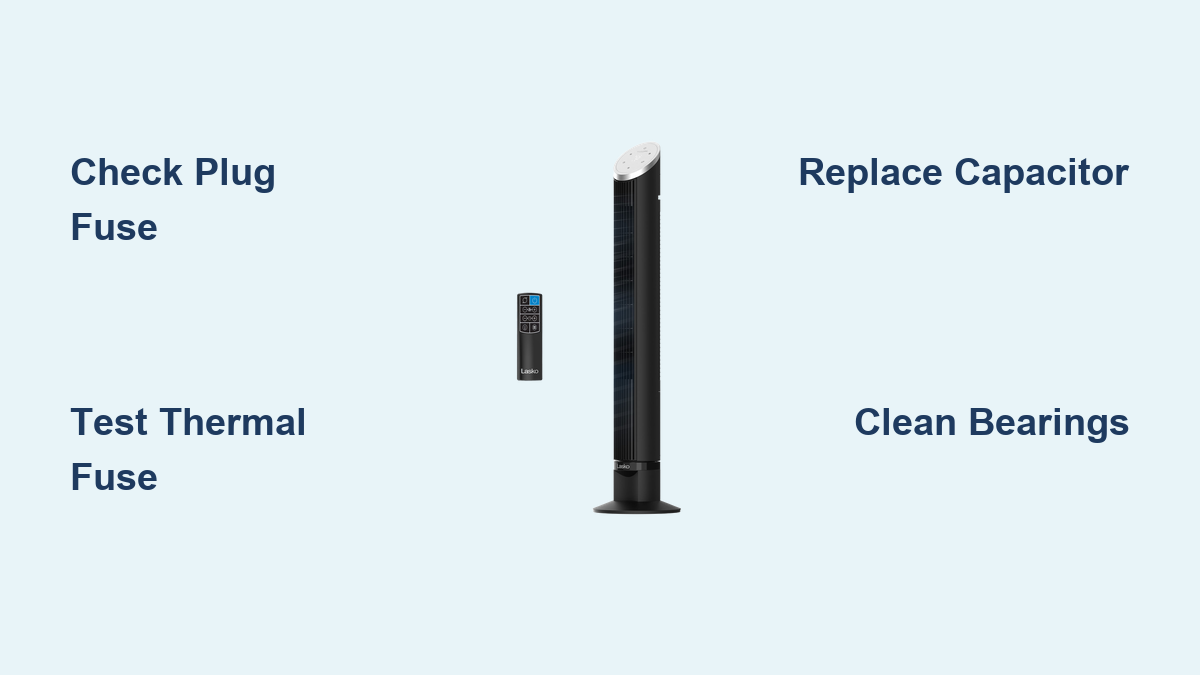
Is your Lasko tower fan suddenly dead, humming without spinning, or shutting off after a few seconds? You’re not alone. Thousands of users face these exact issues every year, most commonly due to a hidden fuse in the plug, a blown thermal fuse, or a failing capacitor. The good news? Most of these problems can be diagnosed and fixed in under two hours with basic tools and parts costing less than $10. This guide walks you through step-by-step troubleshooting for every major failure mode, from no power to oscillation problems, so you can get your fan running again without paying for a replacement.
We’ll cover how to identify Lasko’s notorious “Patent” plug fuse, test and replace key components like capacitors and thermal fuses, restore seized motors, and decide when repair makes more sense than replacement. Whether you’re hearing a buzz, seeing flashing lights, or dealing with a completely silent unit, this guide gives you the exact steps to fix it safely and effectively.
No Power? Check the Plug and Thermal Fuse First

If your Lasko tower fan shows no signs of life, no lights, no sound, no movement when plugged in, the issue likely lies in the power delivery chain. Before assuming the motor or control board is dead, rule out the two most common culprits: the plug-integrated fuse and the internal thermal fuse.
Test the “Patent” Plug Fuse
Many Lasko tower fans use a proprietary plug with a molded 2.5A fuse built directly into the plug body. This fuse is not replaceable by design, and it often blows when the fan is unplugged under load or when multiple buttons are pressed at once.
How to identify it: Look for the word “Patent” printed between the prongs on the plug.
How to test it: Use a multimeter set to continuity mode. Touch one probe to each metal prong. If you get no beep or reading, the internal fuse is blown.
What to do: Since the fuse cannot be replaced, you will need to cut off the old plug and install a standard non-fused plug. Strip the wires, connect them correctly (ribbed wire equals neutral, smooth equals hot), and secure the new plug.
Pro Tip: Avoid pressing multiple control buttons at once. This can surge current and blow the plug fuse instantly.
Verify the Internal Thermal Fuse
If the plug has no “Patent” marking or tests good, the next suspect is the thermal fuse inside the motor housing. This safety device cuts power if the motor overheats, often due to bearing friction or blocked airflow.
Location: Wrapped around the motor windings, usually inside a white or black sleeve.
Specs: 2A, 250V, 130°C. Never substitute with a higher-rated fuse. It is a fire hazard.
Test: With the fan unplugged, use a multimeter to check continuity across the fuse leads. No continuity equals blown fuse.
To access it, remove the four housing screws, carefully separate the front and rear casings, locate the fuse on the motor coil, and clip and test the leads. If blown, replace it with an exact-match 2A/250V/130°C fuse, solder the connections, and insulate with heat shrink tubing.
Fan Humming But Not Spinning? Diagnose Motor Lockup or Capacitor

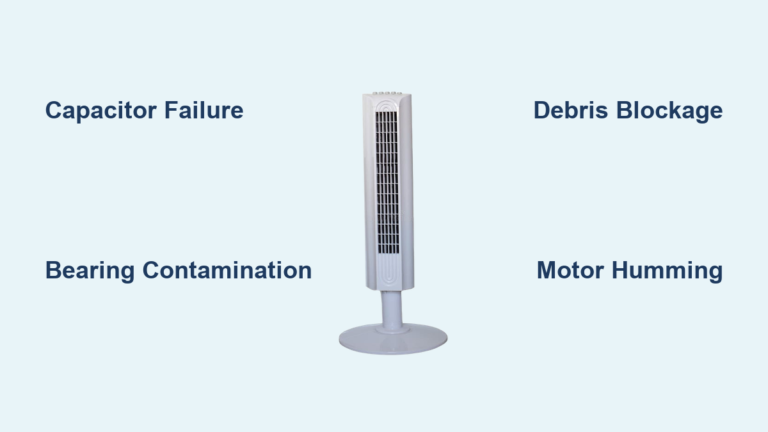
A loud hum or buzz with no blade movement is a classic sign of either a seized motor shaft or a failed start capacitor. Here is how to tell the difference and fix it.
Spin the Blades Manually
Unplug the fan. Remove the front grill. Try spinning the blades by hand.
If blades will not turn or feel stiff: The motor bearings are seized.
If blades spin freely: The capacitor is likely bad.
Quick Check: A seized motor often follows squeaking noises. If you heard grinding or high-pitched sounds before failure, bearing wear is the root cause.
Clean and Lubricate Seized Bearings
Worn bronze bushings or dried lubricant cause the shaft to lock up, overloading the motor and tripping the thermal fuse.
Tools needed: Isopropyl alcohol, Q-tips, 3,000-grit sanding pad or buffing wheel, Tri-Flow lubricant or sewing machine oil.
Steps:
- Discharge the capacitor by shorting its terminals with a screwdriver.
- Remove the tamper-proof screw on the front cover. Use a Dremel to notch it if needed.
- Extract the motor assembly.
- Clean the bearing housing and shaft with alcohol and Q-tips.
- Polish the shaft with a fine sanding pad to remove oxidation.
- Re-lubricate with Tri-Flow, a Teflon-infused oil ideal for low-speed, high-load applications.
- Reassemble and test.
Upgrade Option: Replace the bronze bushing with a skateboard ball bearing for smoother, longer-lasting performance.
Replace the Start Capacitor
If the motor spins freely but still will not start, the capacitor is the likely culprit. It provides the initial jolt of energy to get the motor turning.
Specs: 470µF, 16V or 25V, 105°C, radial lead.
Signs of failure: Bulging top, leaking fluid, or burnt terminals.
Replacement steps:
- Access the lower housing by removing base screws.
- Locate the cylindrical capacitor near the motor or control board.
- Note the polarity. The stripe on the side marks the negative lead.
- Desolder the old capacitor.
- Solder in the new one, matching polarity exactly.
- Trim excess leads and reassemble.
Test all speeds, especially high, after replacement.
Shuts Off After 1 Second? Fix Speed-Dependent Failures
Some Lasko fans start for a second, flash a yellow light, then shut down. Others work on low speed but die when switched to high. This behavior points to capacitor degradation or control board issues.
Reset the Control Board
Before replacing parts, try a soft reset. Unplug the fan for 10 minutes. Press and hold the power button for 10 seconds. Plug it back in and try again. This clears temporary logic glitches on digital models.
Test Capacitor Under Load
A weak capacitor may allow startup on low speed but fail under the higher current demand of speed 3 or 4.
If the fan runs on speed 1 but dies on speed 3, replace the capacitor even if it looks fine. Use a 470µF, 25V capacitor for extra headroom and longer life.
Real-World Case: Model P/N 02035093PWVN commonly fails at speed #3 due to capacitor wear. Replacing it restores full operation.
Intermittent Operation? Clean Dust and Check Connections
Fans that cycle on and off, or respond erratically to remote controls, are often suffering from dust buildup, loose wiring, or thermal cycling.
Deep Clean the Vents
Dust clogs airflow, causing the motor to overheat and trip the thermal fuse. Once cooled, the fuse resets, creating a cycle of run-stop-run.
Fix: Use compressed air or a leaf blower on low to blast dust from intake and exhaust grills. Do this monthly during heavy use.
Inspect Internal Wiring
Vibration can loosen connectors over time.
Open the housing. Check that all wire harnesses are fully seated. Reconnect any loose plugs, especially near the motor and control board.
Rule Out Remote Control Issues
If the fan works manually but not with the remote, replace the remote batteries. Test line of sight to the IR sensor. If the panel is unresponsive, the control board may need replacement.
Oscillation Not Working? Inspect Gears and Linkage

A fan that blows air but does not swing side-to-side has an oscillation mechanism failure.
Check for Stripped Plastic Gears
- Remove the rear grill.
- Look at the gear box at the motor tail end.
- Inspect the plastic gear teeth. If they are worn or missing, the gear is stripped.
Note: These gears are model-specific but cost under $10.
Test the Oscillation Linkage
Manually move the linkage arm. If it is stuck, clean and lubricate the pivot points. Ensure the metal pin connecting the arm to the base is present and secure. Replace the gear if damaged, reattach the linkage, and test.
Repair or Replace? Use This Decision Guide
Not every fan is worth fixing. Use this checklist to decide.
| Issue | Repair? | Why |
|---|---|---|
| Dead plug fuse | Yes | $3 plug replacement fixes it |
| Blown thermal fuse + seized motor | Yes | Fix both to prevent repeat failure |
| Humming, free-spinning blades | Yes | Capacitor equals $5 fix |
| Burnt smell or melted wires | No | Fire risk; internal damage likely |
| Control board failure | No | Boards not cost-effective to repair |
| Under 12 months old | Claim Warranty | Lasko offers free replacements |
| Parts cost exceeds $40 | No | New fan costs about $70 |
Insider Tip: Even if slightly out of warranty, contact Lasko customer service. Many users report goodwill replacements.
Prevent Future Failures: Maintenance Tips
Avoid repeat breakdowns with these simple habits.
Clean monthly: Use compressed air on vents and motor housing.
Lubricate at first squeak: Do not wait for seizure. Clean and oil bearings early.
Never press multiple buttons: Prevents blowing the plug fuse.
Unplug during storms: Protects against surges.
Store properly: Keep in a dry place. Avoid basement humidity.
Safety First: Critical Warnings
Discharge capacitors before touching internals. Use a screwdriver to short the terminals.
Never bypass the thermal fuse or use a higher-rated replacement. It is a fire risk.
Unplug before disassembly: Always.
Use correct lubricants only: Tri-Flow or sewing machine oil. Avoid WD-40 because it attracts dust.
If unsure, replace the fan: Electrical repairs require basic soldering and multimeter skills.
Frequently Asked Questions About Lasko Tower Fan Troubleshooting
Why does my Lasko tower fan have no power at all?
The most common causes are a blown plug fuse (models with “Patent” marked on the prongs) or a blown internal thermal fuse. Test the plug prongs with a multimeter for continuity first. If that checks out, open the housing and test the thermal fuse on the motor windings.
How do I fix a Lasko fan that hums but does not spin?
First, unplug the fan and try spinning the blades manually. If they will not turn, the motor bearings are seized and need cleaning and lubrication. If the blades spin freely, the start capacitor is likely bad and needs replacement (typically 470µF, 16V or 25V).
Why does my Lasko fan shut off after switching to high speed?
This is a classic sign of capacitor degradation. The capacitor may have enough capacity to start the motor on low speed but fails under the higher electrical load of high speed. Replace the capacitor with a 470µF, 25V unit for best results.
Can I replace the thermal fuse in my Lasko tower fan?
Yes. The thermal fuse is located on the motor windings inside the housing. Use an exact replacement: 2A, 250V, 130°C. Never substitute with a higher-rated fuse as it is a fire hazard. Solder the connections and cover with heat shrink tubing.
How much does it cost to repair a Lasko tower fan?
Most repairs cost between $3 and $10. A replacement plug costs about $3, a start capacitor costs about $5, and a thermal fuse costs under $5. Only the oscillation gear and control board may approach $10 to $15. This makes repair far cheaper than buying a new fan.
Is it worth repairing an old Lasko tower fan?
If the fan is under 12 months old, claim the warranty for a free replacement. If it is older, repair is almost always worth it unless you smell burnt wiring or see melted components, which indicate fire risk and mean you should replace the unit instead.
Key Takeaways for Fixing Your Lasko Tower Fan

Most Lasko tower fan issues are fixable with under $10 in parts and a few hours of work. The key is diagnosing the real cause, whether it is a hidden fuse in the “Patent” plug, a seized motor from dried bearings, or a weak capacitor that cannot handle high-speed loads. Always test the plug continuity first, then move to the thermal fuse, then the capacitor, following the symptom guide. Clean dust monthly and lubricate bearings at the first sign of squeaking to prevent catastrophic failure. If your fan is under warranty, contact Lasko first. Otherwise, grab a multimeter and start testing. You will likely have it running again by tonight.